
Slow-Mo Finishers in Ragdoll Frenzy
Turn grab-and-blast setups into readable cinematic hits—and steal extra frames to escape the train.
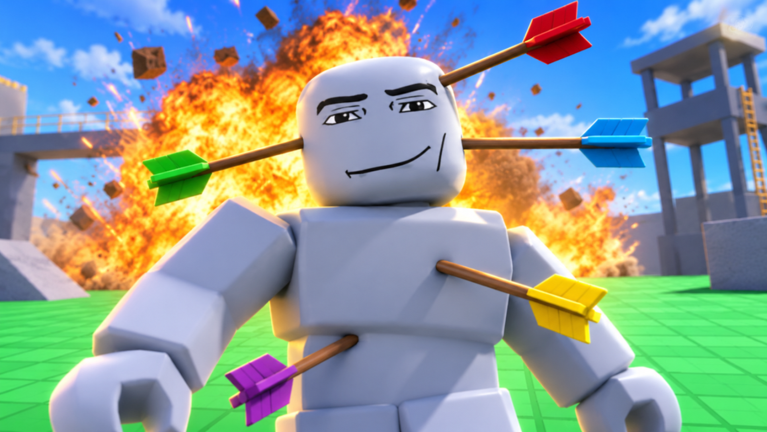
Slow motion is the difference between a messy ragdoll tumble and a finisher people rewind. In Ragdoll Frenzy by JustEvolve, slow-mo stretches the same grab, shoot, and blast verbs you already practice so impacts read on camera and escapes become possible. This guide teaches when to toggle, how to build a finisher sequence, and how to use diluted time for safer train dodges. Brush up on inputs in Controls and on force tools in Grab, Shoot, and Blast before you chase cinematic flair.
The game is a Roblox physics sandbox released 3 November 2026, with twelve-player servers, mild often-purple blood feedback, and a November multiplayer expansion. Slow-mo does not pause other players’ decisions entirely in every context, and it will not save a bad position on the rails. It buys readability and reaction time—nothing more.
What slow motion is for
Use slow-mo to:
- Make a planned impact easy to see.
- Adjust camera framing mid-swing.
- Strafe off train tracks with extra decision frames.
- Align a dummy with a machine entrance without frantic tapping.
Do not use slow-mo to:
- Mask a failed grab spam session.
- Camp spawn in a syrupy haze that annoys the lobby.
- Substitute for learning tool range.
If you cannot complete the action at normal speed in a quiet area, slow-mo will only film your confusion more clearly.
Find and verify the toggle
Exact binds vary by platform and patch. On PC, look for a toolbar button or a labeled key shown in prompts. On mobile, hunt for a distinct on-screen control rather than a hidden multi-finger gesture. Toggle once while standing still. Confirm the world feel changes, then toggle off. Add the control to your personal warm-up from Getting Started and the controls cheatsheet.
If the toggle seems dead, unequip tools, close menus, and try again. UI focus eats inputs in Roblox sandboxes. After big updates—skim Updates and the Multiplayer Update—re-verify the control before a recording session.
Finisher recipe that actually reads on video
A cinematic finisher is a short script:
- Scout. Pick a background with contrast. Avoid busy machine silhouettes unless the machine is the punchline.
- Clear hazards. Note train timing if you are anywhere near tracks. Details live in Train and Machines.
- Grab and place. Set the dummy where limbs will silhouette. Release micro-adjustments before you slow time.
- Enable slow-mo. Toggle after placement, not during a blind sprint.
- Equip the decisive tool. Switch deliberately. Panic hotbar swaps waste the slow window.
- Fire once with intent. Hold the camera on the arc. Let purple impact flashes and ragdoll curves breathe.
- Disable slow-mo or reset. End the beat cleanly so the lobby returns to normal pacing.
Record two takes: one without slow-mo to prove the setup works, one with slow-mo for the published clip. If the normal-speed take fails, fix the setup instead of hiding it under time dilation.
Camera habits during stretched time
Slow-mo exaggerates camera noise. Reduce mouse flick amplitude. Prefer a slight push-in or a locked third-person frame over chaotic orbiting. Keep both your avatar’s tool and the dummy in view for the first frames of impact. Cutaways are for editors; in a live Roblox take, what you frame is what you get.
Lighting matters. Face the dummy toward brighter skyboxes when possible so dark purple effects still separate from shadows. If another player walks into frame, wait—twelve-player servers mean shared stages, especially after multiplayer-focused patches.
Safer train dodges with slow motion
The train is the loudest teacher in Ragdoll Frenzy. Slow-mo helps only if you already left yourself an exit lane.
Drill:
- Stand beside the tracks, not on them.
- Listen and watch for an approach.
- Toggle slow-mo as the train nears your decision point.
- Strafe perpendicular away from the rails.
- Toggle off once clear, or reset if physics already owns you.
Never enable slow-mo for the first time while standing center-track. You are practicing decision frames, not inviting a highlight death. Combine this drill with the broader hazard map in Train and Machines.
Pairing slow-mo with blasts and precise shots
Narrow shots love slow-mo because viewers can track limb spins. Wide blasts love slow-mo only when you framed empty space; otherwise you film four players ragdolling into each other without a subject. Choose tools with the same filmmaker mindset you use on the weapons tier list. Rank spectacle after you can repeat the beat.
A strong intermediate combo: grab, place, slow-mo, precise shot, disable slow-mo, step back, optional blast as a second punchline at normal speed. Two tempos in one clip feel directed.
Multiplayer manners while time is stretched
Other players may not share your cinematic goals. Call out “filming” in chat if the lobby culture allows it. Do not slow-mo grief someone else’s take. If two creators collide, yield a round—Ragdoll Frenzy has enough dummies for everyone. Private servers remain the best classroom for experimental finishers before you perform in public.
Avoid stacking slow-mo with spawn camping or repeated targeting of the same unwilling player. The Multiplayer Update made shared play more central; etiquette keeps servers creative instead of empty.
Troubleshooting
Slow-mo makes me dizzy and worse. Shorten the window. Toggle only for the impact second, not the entire approach.
I still miss grabs in slow-mo. Your approach was misaligned. Fix normal-speed grabs first.
The train still hits me. You toggled too late or stood on the rails. Move the drill farther from the centerline.
Clips look muddy. Background clutter and purple effects need contrast. Change angles, not just tools.
Teammates say I’m lagging the vibe. You left slow-mo on. Turn it off between takes.
Practice plan (twelve minutes)
Minutes 1–3: toggle on/off while walking a square. Minutes 4–7: three placed grabs with slow-mo shots, no trains. Minutes 8–10: one near-track dodge drill with early exits. Minutes 11–12: one full finisher recipe filmed twice. Redeem any active gifts from Codes afterward so menus do not interrupt the next session.
Keep exploring
Return to the Guides Hub for sibling tutorials, check Players for creator context, and use the Wiki overview when you need navigation. Slow-mo is a lens, not a crutch—master it to show skill you already built with grab, shoot, blast, and hazard awareness.
Frequently Asked Questions
Quick answers players ask about Ragdoll Frenzy every day.
When should I turn on slow motion?
After you place the dummy and clear hazards—not while sprinting into a blind grab or standing mid-track for the first time.
Can slow-mo help me dodge the train?
Yes, if you already have an exit lane. Toggle as the train approaches, strafe off the rails, then disable slow-mo or reset if you are caught.
Why do my slow-mo finishers look messy?
Usually unstable cameras, cluttered backgrounds, or tool swaps inside the slow window. Stabilize the frame, place first, then fire one decisive tool.
Does slow-mo work the same on mobile and PC?
The effect is similar, but the toggle control differs. Verify the on-screen button or key each session because patches can move it.
Is it rude to use slow-mo in public servers?
Short cinematic takes are fine. Leaving slow-mo on, blocking others’ shots, or griefing with stretched-time blasts wears lobbies down—keep takes short and share the space.