
Grab, Shoot, and Blast in Ragdoll Frenzy
Timing, spacing, and tool choice for JustEvolve’s ragdoll sandbox—from clean grabs to explosive finishers.
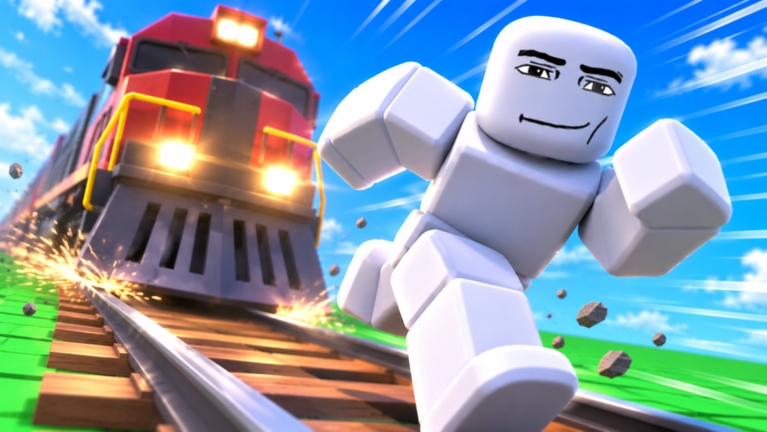
Grab, shoot, and blast are the three verbs that define Ragdoll Frenzy. Everything else—slow motion, trains, stretch machines, multiplayer crowd work—amplifies these basics. This guide goes deeper than the first-hour checklist in Getting Started. You will learn how to time grabs, how shooting differs from wide blasts, and how to set up finishers that look intentional instead of lucky. Confirm inputs with the Controls guide whenever a patch shifts prompts.
Ragdoll Frenzy is JustEvolve’s Roblox physics sandbox (place 88698076089192), released 3 November 2026, with twelve-player servers and a November multiplayer push. Mild blood effects, often purple, sell impact without pretending to be a tactical shooter. Your job is choreography under physics pressure.
Grab timing: attach, commit, release
A good grab has three beats.
Approach. Face the dummy with a clear camera. Unequip weapons if grab requires empty hands in your build. Stop jittery strafing so the prompt can appear.
Attach. Click or tap once and hold long enough for the constraint to take. Early release drops the dummy at your feet. Late panicked mashing can spin both of you into a wall.
Commit and release. Decide whether you want a short drag, a lift, a spin, or a handoff into a weapon shot. Release on purpose. Accidental releases look the same as failed grabs on video, so narrate the beat in your head: attach, move, release.
Practice ladders:
- Two-meter drag on flat ground.
- Lift and set down upright.
- Pivot ninety degrees while holding, then release into open space.
- Grab near tracks without stepping on rails—see Train and Machines before you get clever.
If grabs feel sticky or phantom, reset your character. Half-ragdolled avatars lie to your inputs.
Shooting: lines, not spam
Shooting in Ragdoll Frenzy is about readable force lines. Pick a tool, aim at a limb or torso region that creates a spin you can follow with the camera, and fire in short strings. Full-auto panic deletes the joke before viewers understand the setup.
Checklist for better shots:
- Plant your feet before the first round.
- Keep the dummy between you and an open background, not a cluttered machine wall.
- Fire, pause, evaluate the ragdoll arc, then decide on a second shot.
- Unequip when you want to re-grab; do not fight the tool menu mid-air.
Some tools punch a narrow impulse. Others scatter. Learn one narrow tool and one wider tool before you chase rare gadgets. Compare community favorites later on the weapons tier list and the Tier List Hub.
Blasting: radius awareness in twelve-player servers
Blasts are social weapons. A wide explosion that is funny in a private server can ruin three other creators’ takes in a public lobby of twelve. After the Multiplayer Update, more players share the same toys, so blast etiquette matters.
Use blasts when:
- You have clear space behind the dummy.
- Nobody is mid slow-mo finisher in your radius.
- You accept that you might also launch yourself.
Avoid blasts when:
- You are standing on or beside active train lanes.
- A group is staging a machine pull.
- You just want to grief spawn.
Technically, step back farther than you think. Blast knockback plus ragdoll recovery frames can chain into the train even if the explosion itself missed the tracks. If you get launched, reset early instead of watching a long tumble that wastes lobby time.
Finisher setup without skipping fundamentals
Finishers are sequences, not single buttons. A reliable starter sequence looks like this:
- Clear the lane and check train timing.
- Grab and place the dummy where the camera has a clean silhouette.
- Optional: toggle slow-mo—details in Slow-Mo Finishers.
- Switch to the planned weapon or blast tool.
- Fire the decisive impulse.
- Hold the camera on the arc for a beat, then reset tools.
Advanced players insert machine interactions or near-miss train crossings between steps three and five. Do not skip straight to those until grab and shoot are boringly consistent. Boring consistency is what makes chaotic clips look professional.
Camera and movement habits that sell the hit
Physics games hide bad timing behind shaky cameras. Strafe less during the decisive shot. Raise the camera slightly so limbs read against the sky or a simple wall. If Roblox shift-lock or first-person options are available in your client, test them in a private moment; third-person remains the default teaching view because you can see both your avatar and the dummy.
When recording, leave a second of stillness before the grab. Editors and viewers need a “before” state. The “after” state should still be framed—do not whip the camera away the instant purple impact flashes.
Loadout thinking for sandbox play
You are not building a ranked competitive kit. You are packing a filmmaker’s belt:
- One grab-friendly empty-hand posture.
- One precise shooter for controlled spins.
- One blast tool for punchline moments.
- Awareness of reset and slow-mo as meta tools, not weapons.
Rotate only after you can explain why the previous tool failed. Mindless hotbar cycling is how beginners miss grab prompts. If codes grant cosmetics or tools, redeem them from the Codes Hub between takes, not during a live grab.
Common mistakes and quick fixes
I keep shooting instead of grabbing. Unequip first. Re-read Controls.
The dummy clips into geometry. Release earlier and drag in open lanes. Recenter before big lifts.
My blast hits friends. Call out in chat, or move to a side arena. Public servers are shared stages.
Finishers look random. Write a three-step plan before you touch the dummy. If you cannot say the plan aloud, you are improvising noise.
Train ends every take. You are staging too close too soon. Rehearse inland, then migrate toward tracks with escape space.
Practice loop (fifteen minutes)
Minutes 1–5: grab ladder only. Minutes 6–10: one shooter, ten intentional shots, no blasts. Minutes 11–13: three blasts with radius checks. Minutes 14–15: one full finisher sequence with optional slow-mo. End by unequipping and walking a cool-down lap past the tracks without interacting. That discipline transfers to crowded lobbies.
Where this fits on the wiki
Return to the Guides Hub for related tutorials, skim Updates when tools change, and visit Players for creator context. Scripts content on the Scripts Hub is unrelated to learning physics timing—master grab, shoot, and blast with default controls first. When your hits already look clean, layer slow-mo and machines for spectacle that still reads as skill.
Frequently Asked Questions
Quick answers players ask about Ragdoll Frenzy every day.
Should I grab with a weapon equipped?
Usually no. Unequip first so the grab prompt can register. Equip your shooter or blast tool only after the dummy is placed for the shot.
What is the difference between shooting and blasting?
Shooting favors directed impulses you can aim for readable spins. Blasting adds wide knockback that can launch you and nearby players—use it with radius awareness.
How do I make finishers look intentional?
Clear the lane, grab and place the dummy, optionally enable slow-mo, then fire one decisive tool while holding a stable camera.
Why do my grabs fail in multiplayer?
Crowds, leftover ragdoll states, and equipped tools all interfere. Reset, move to open space, unequip, and try again—or use a quieter server.
Where should I rank weapons after practicing?
Use the weapons tier list and the Tier List Hub once you understand grab timing; rankings mean more after you can execute clean takes.